

Commissions & residual splits
Commissions are how your account representatives get paid for the merchants they manage. This page explains what a residual split is, how to set one up, and where the resulting commissions appear.
What a residual split is
Section titled “What a residual split is”A residual is the ongoing processing revenue tied to a merchant’s MID. When a rep brings on or manages a merchant, you agree to share a portion of that residual with them. That share is their split.
In MySplitPay, a split is a percentage attached to a single rep-and-MID relationship. A rep can have many MIDs assigned, each with its own rate. The rep’s commission is their split percentage of the residual for that MID, and the platform calculates it for you.
Configuring a split
Section titled “Configuring a split”Splits live on the account rep’s detail page, under Assigned MIDs. Each row there is one rep-and-MID relationship, showing the MID, the merchant’s DBA name, the start and end periods, and the current rate.
Assign a MID and set its rate
Section titled “Assign a MID and set its rate”- Open a rep from Account Reps, then select Assign MID.
- Search for the MID by name or number and select it.
- Enter the Commission Rate (%) and a Start Period, the month the split takes effect.
- Save. The new assignment appears in the Assigned MIDs table.
Edit an existing split
Section titled “Edit an existing split”Select any row in Assigned MIDs to open Edit Assignment, where you can change the Commission Rate (%), the Start Period, and the End Period. Leave the end period blank to keep the assignment Ongoing. Setting an end period takes a rep off a merchant while preserving the history up to that month.
Change several MIDs at once
Section titled “Change several MIDs at once”Use Bulk Edit to apply a single change — a new rate, a start period, or an end period — to every MID currently shown in the rep’s list. Filter the list first with the search box if you only want the change to hit some of them.
Viewing commissions
Section titled “Viewing commissions”The Commissions page is where you review results. There’s no calculate step: commissions are computed from the reports you upload and appear here once a period’s processing activity is in.
The page groups commissions by account rep. Each rep row shows their merchant count and their total for the selected months. Expand a row to see the rep’s months, newest first. Each month heading shows its merchant count and Month total, and every month starts collapsed. Select a heading to open that month: it lists the MID, merchant, residual, rate, and commission for each merchant, with the column headings inside the month. Select it again to close it. You can also reach the rep rows and month headings with Tab and open or close them with Enter or Space. A rate shown in amber changed that month; hover over it to see the previous rate. The rep’s total is on the rep row, and a Grand Total at the bottom of the table covers every page.
When other reps have commissions in the selected months, reps with none stay in the list, dimmed, at $0.00.
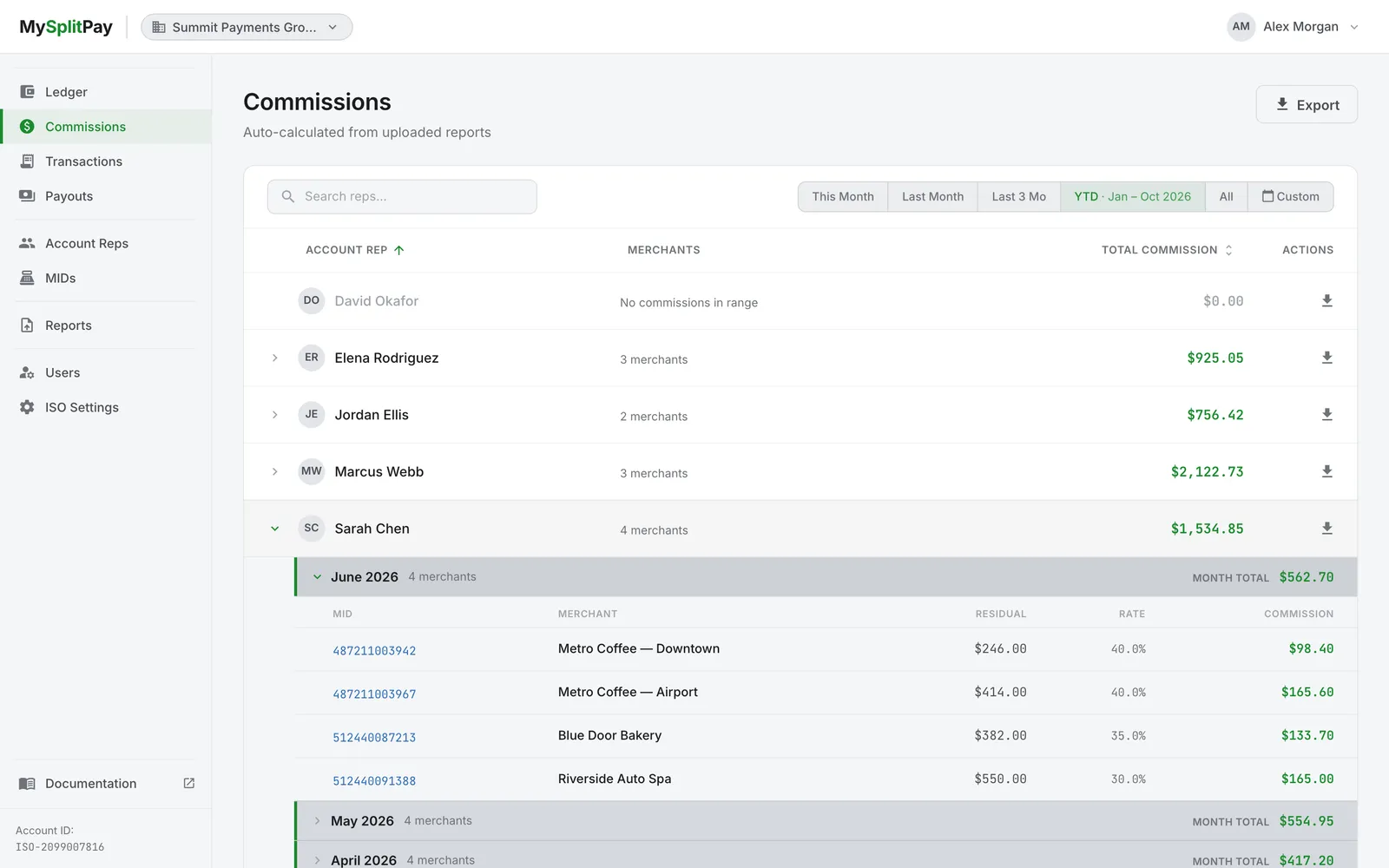
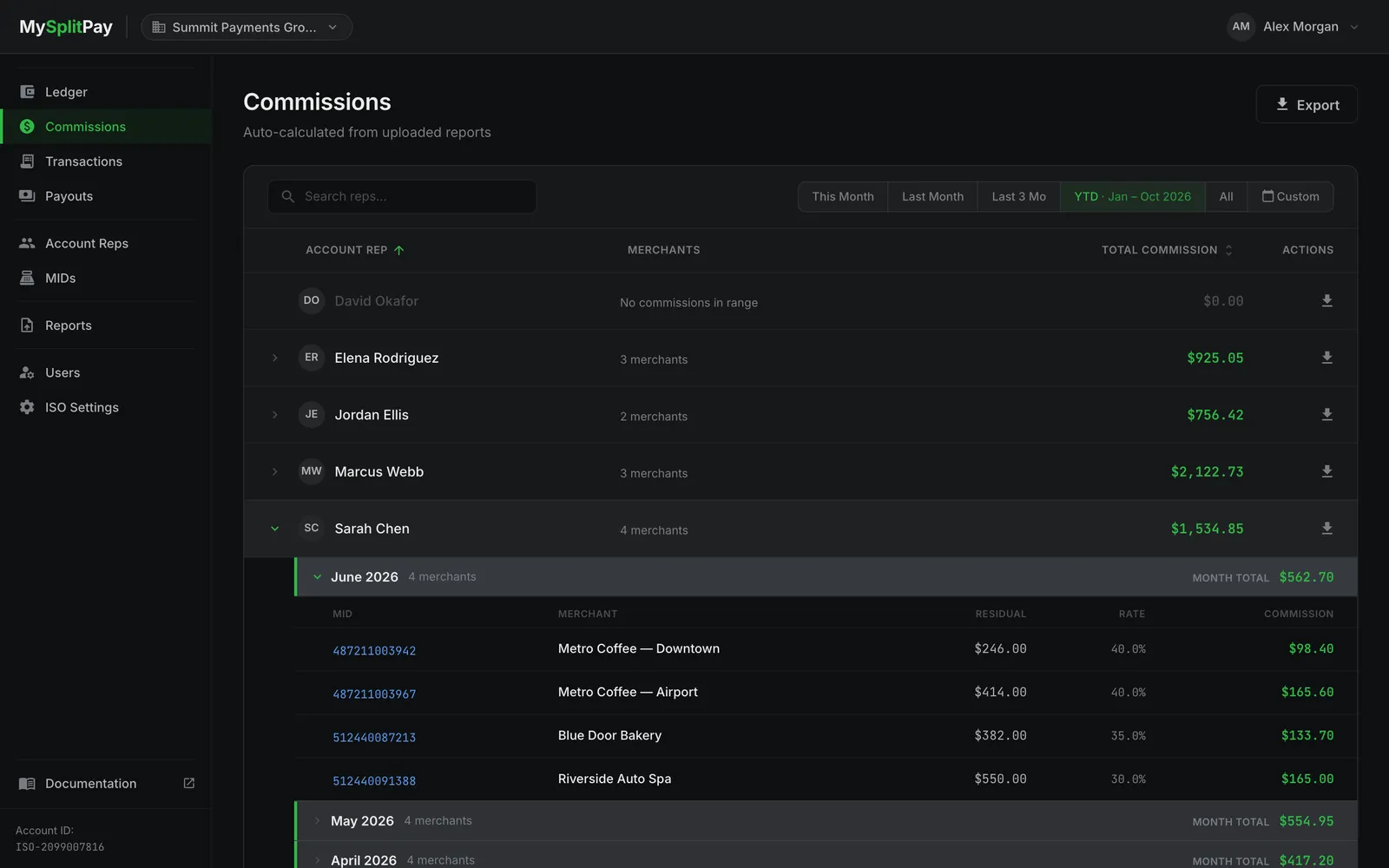
Controls on the page:
- Search reps by name (top left of the table). Search covers every rep, not just the page you’re on.
- Period filter (top right) to choose the months: This Month, Last Month, Last 3 Mo, YTD, All, or a custom range. A custom range can cover up to 120 months (10 years), counting back from the current month.
- Sort by clicking the Account Rep or Total Commission column heading. Reps are listed A–Z by default.
- Pages of 25 reps, with 50 or 100 per page available at the bottom of the table.
- Export to download commissions as CSV, either for a single rep or for every rep that matches your search, across all pages and in the order the table is sorted. The file has one row per merchant per month, each with its own month and rate, and its name shows the months it covers:
commissions-03-2026.csvfor one month,commissions-01-2026-to-03-2026.csvfor a range, orcommissions-all.csvfor All. A rep with nothing in the selected months downloads a file with the column headings only. Export stays unavailable until the commissions for the selected period have loaded, so a failed load never produces an empty file.
If commissions fail to load, the table is replaced by a message with a Try again button, and the search and period filter stay available so you can pick another period. A custom range saved from an earlier visit that is longer than 10 years shows a message asking you to choose a shorter period instead.
Where commission results appear
Section titled “Where commission results appear”A commission you see on the Commissions page is the same figure that flows through the rest of the platform:
- On the rep’s detail page, their current balance reflects commissions earned, with a link through to the full ledger.
- On Ledgers, each commission posts as a line item (shown with a green Commission marker) alongside any deductions, credits, and payouts.
- On Payouts, earned commissions are what you settle to the rep.
Throughout the app, entry types are color-coded so they’re easy to scan: Commission in green, Deduction in red, Credit in teal, and Payout in blue.
Changing a split after a payout has gone out
Section titled “Changing a split after a payout has gone out”If you edit a rate or period in a way that would change commissions a rep has already been paid for, MySplitPay pauses and asks you to confirm before applying the change, so already-issued payouts never shift silently. Review the summary in the prompt, then confirm to proceed or cancel to keep your edit pending.
Next steps
Section titled “Next steps”Ledgers shows how commissions post over time, and Payouts covers settling them to reps. For the reports that feed these numbers, see Transaction reporting & statements.